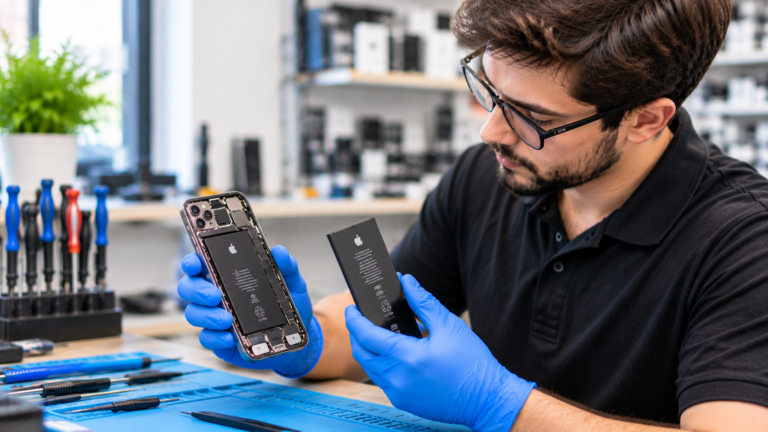
How Do You Check iPhone Battery Health in 2026?
Open Settings, tap Battery, then tap Battery Health. Apple’s support pages, checked in November 2026, explain that the menu differs by model. On iPhone 11 through iPhone 14, the screen is called Battery Health and Charging and shows maximum capacity and peak performance capability. On iPhone 15 and later running iOS 17.4 or later, the Battery Health screen also shows cycle count, manufacture date, and date of first use, which makes it much easier to judge how worn the battery really is. If the battery has degraded significantly, iOS shows a message recommending service. Apple notes that this message does not indicate a safety issue, and the battery still works, but you may notice shorter battery life and slower performance. Check the screen once a month, especially before winter, when cold Columbus mornings make a weak battery more obvious.
- iPhone 11 to 14: Settings, Battery, Battery Health and Charging.
- iPhone 15 and later: Settings, Battery, Battery Health, with cycle count shown.
- Look for maximum capacity, peak performance capability, and any service message.
- Check Settings, General, About to see if the battery is listed as Genuine, Used, or Unknown.
Is 80 Percent Battery Health the Point to Replace an iPhone Battery?
Eighty percent is the most useful line to watch. Apple states that iPhone 14 models and earlier are designed to retain 80 percent of their original capacity at 500 complete charge cycles, and iPhone 15 models are designed to retain 80 percent at 1,000 cycles, both under ideal conditions. AppleCare+ also replaces the battery at no extra charge once capacity drops below 80 percent. Below that level, many people notice that a full charge no longer lasts the day, and iOS may apply performance management to prevent unexpected shutdowns, which Apple says can slow app launches, lower frame rates, and dim the display. You do not have to wait for 80 percent, though. If your iPhone shuts down in the cold, dies at 20 or 30 percent, or cannot make it to dinner, a new battery is worth considering even at 82 or 83 percent.
What Are the Warning Signs Your iPhone Battery Needs Replacing?
The clearest signs are a Battery Health reading under 80 percent, a service recommendation in Settings, and shutdowns that happen with charge still showing. Apple explains that unexpected shutdowns occur when a battery cannot deliver the peak power the phone needs, which is more likely at low charge, with older batteries, and in cold weather. A swollen battery is different and is a safety issue. If the screen is lifting, the case is bulging, or the phone rocks on a flat table, stop using and charging it right away, power it off, keep it away from heat, and bring it in. Do not press on the bulge. For signs that apply to every phone brand, see our guide on when a phone battery needs replacing, which covers Android and iPhone together.
- Battery Health shows below 80 percent or a service message.
- The iPhone shuts down at 20 or 30 percent, or in cold weather.
- Apps launch slowly and Peak Performance Capability shows performance management applied.
- The screen is lifting or the case bulges, which means stop charging immediately.
How Much Does Apple Charge for iPhone Battery Replacement in 2026?
Apple’s US out-of-warranty battery service fees in fall 2026 range from $69 for older models to $129 for the newest Pro models, as reported by 9to5Mac in September 2026 and compiled by Fone.tips in November 2026. Apple lists these as estimates and says the final fee is set after inspection, with tax and shipping possibly added. Prices have risen over time, with the iPhone 16 Pro moving to $119 in 2024 and the iPhone 18 Pro to $129 in 2026. Independent shops set their own prices, and we do not publish a price list because parts, models, and availability vary. You get an exact quote after a free diagnostic, so you can compare it with Apple’s fee before deciding. If you have AppleCare+ and your capacity is below 80 percent, Apple’s coverage is usually the least expensive route.
- $129: iPhone 18 Pro and 18 Pro Max.
- $119: iPhone Air, 17 Pro, 17 Pro Max, 16 Pro, and 16 Pro Max.
- $99: iPhone 17, 17e, 16, 16 Plus, 16e, and the 15 and 14 series.
- $89: iPhone 13, 12, and 11 series, XR, XS, and XS Max.
- $69: iPhone SE (2nd and 3rd generation), iPhone 8 and 7 series, and 6s.
What Does the Unknown Part Battery Message Mean on iPhone?
Apple’s Parts and Service History, found under Settings, General, About, labels the battery as Genuine, Used, or Unknown. According to Apple’s support article on genuine iPhone batteries, checked in November 2026, Unknown appears with an exclamation icon when the battery is not genuine, is not working as expected, was not verified and linked to the iPhone after repair, or cannot be verified. On iPhone 15 and later running iOS 18, Used means a genuine battery came from another iPhone. When a battery cannot be verified, Battery Health may show a message that it is unable to verify a genuine Apple battery, and Apple warns the health readings may be inaccurate. The phone still works, but the label is permanent in your service history. Ask any repair shop which battery they install and how Battery Health will read afterward, so you know what to expect at pickup.
Is iPhone Battery Replacement Worth It Compared With a New iPhone in Columbus?
For most iPhones that still receive iOS updates, yes. Even Apple’s highest current battery fee of $129 is a small fraction of a new phone, and the lowest-priced new model, the iPhone 17e, launched in March 2026 at $599. A new battery can restore all-day life and remove performance management, which often makes an older iPhone feel fast again. The math changes when the phone has other problems. If the screen is cracked, the charging port is unreliable, storage is full, or the iPhone no longer gets security updates, the money may be better spent on an upgrade. Pairing a battery and screen repair can add several more years to a paid-off phone in Columbus. For a fuller comparison, read our guide on whether to repair an iPhone or buy a new one.