My Phone Fell in Water: What to Do in the First 24 Hours (and When It's Too Late)
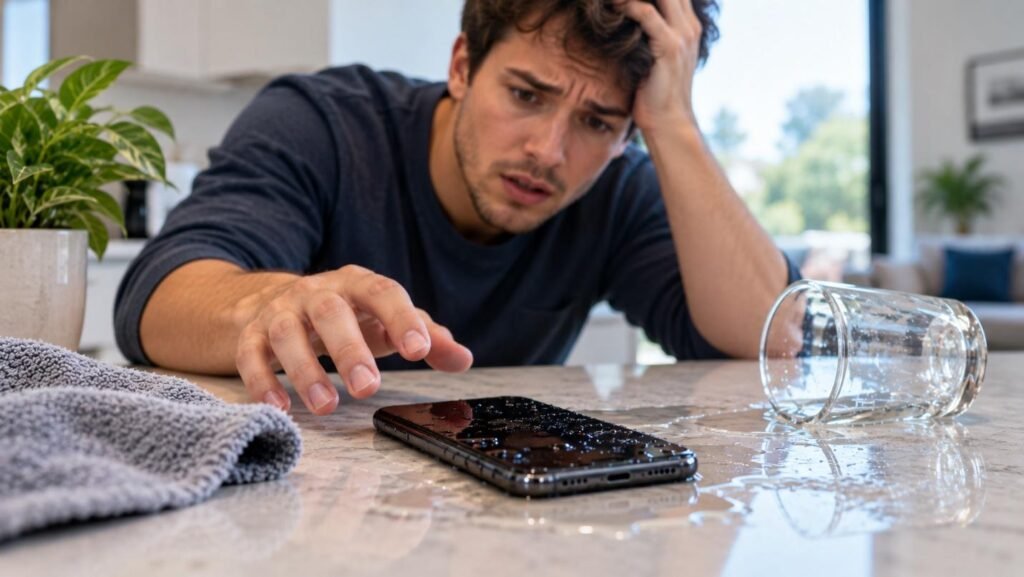
If your phone falls in water, power it off immediately, avoid charging it, and get it to a technician for water damage diagnostics within the first 24 hours for the best chance of recovery. Just Phone Repair offers free diagnostics and data recovery for water-damaged phones in Columbus. Waiting too long can turn a fixable issue into permanent corrosion damage.
How Common Is Water Damage, Really?
Water damage is one of the most frequent reasons phones come in for repair in Columbus, whether from a trip to the pool, an accidental drop in a toilet, a spilled drink at a restaurant, or getting caught in an unexpected rainstorm. It is common enough that most repair shops, including Just Phone Repair, have a well-established process for it rather than treating each case as a total mystery.
Why the First Hour Matters So Much
Water damage rarely destroys a phone the instant it happens. In most cases, the real damage occurs over the following hours and days as moisture works its way into connectors and causes corrosion on internal components. What you do immediately after the drop has a real impact on whether your phone can be saved, which is why acting quickly and correctly in the first 24 hours matters far more than most people realize.
Step 1: Power the Phone Off Immediately
If your phone is still on, turn it off right away rather than checking to see if it still works. A phone that is powered on while wet is at much higher risk of a short circuit, which can cause far more extensive and expensive damage than the water exposure itself. Resist the urge to test buttons, check for notifications, or take a photo of the incident before powering down.
Step 2: Do Not Charge It
Never plug a wet phone into a charger, even if the battery is low. Introducing electrical current to a device with moisture still present significantly increases the risk of a short circuit and permanent internal damage. Wait until the phone has been professionally inspected and dried before attempting to charge it again.
Step 3: Dry the Exterior and Remove What You Can
- Gently pat the outside of the phone dry with a soft, absorbent cloth
- Remove any case, which can trap moisture against the phone rather than letting it evaporate
- If your phone has a removable SIM tray, remove it to allow that port to air out
- Avoid shaking the phone vigorously, which can push water deeper into internal components
Should You Try a Silica Gel Pack Instead of Rice?
Silica gel packets, the kind found in shoe boxes or vitamin bottles, do absorb moisture somewhat more effectively than rice, but they suffer from the same core limitation: they can only pull out surface-level moisture from the exterior, not moisture that has already reached internal connectors or the logic board. At best, this buys you a small amount of time before getting the phone to a technician, but it is not a substitute for a proper diagnostic and cleaning.
Why Rice Is Not a Real Solution
The common advice to bury a wet phone in a bag of rice is largely a myth. Rice absorbs some surface moisture, but it does nothing to address moisture that has already reached internal connectors or begun causing corrosion, and it can even introduce dust or rice particles into ports. A proper diagnostic by a trained technician, who can open the device and inspect it directly, is far more effective than several days sitting in a bag of rice on your kitchen counter.
Step 4: Get a Professional Diagnostic Within 24 Hours
The sooner a trained technician can inspect and properly dry your phone, the better your chances of a full recovery. Just Phone Repair offers free water damage diagnostics for Columbus customers, using proper tools and cleaning techniques rather than guesswork, to assess exactly what moisture reached and what, if anything, needs to be repaired or replaced.
What Happens During a Water Damage Diagnostic?
- Powered-down inspection of the device’s exterior and ports for visible moisture or corrosion
- Opening the phone to check internal components, connectors, and the logic board
- Professional cleaning to remove moisture and address early corrosion before it spreads
- A clear explanation of what was found and what repair options are available
When Is It Too Late to Save a Phone?
The longer a phone sits with unaddressed moisture inside it, especially if it was powered on or charged after the incident, the more likely corrosion has spread to a point where certain components can no longer be recovered. A phone that was submerged for an extended period, exposed to salt water, or powered on repeatedly after getting wet faces a much lower chance of a full recovery compared to one brought in for a diagnostic within the first day.
Should You Try Turning the Phone Back On to Check It?
It is tempting to power the phone back on just to see if it still works, especially if it seems to have dried out on its own after a few hours. This is one of the riskiest things you can do, since a phone that looks dry on the outside can still have moisture trapped deep inside connectors that are not visible without opening the device. Powering it on prematurely can trigger the exact short circuit you were trying to avoid in the first place, undoing any benefit from acting quickly.
Can Your Data Be Recovered Even If the Phone Cannot Be Saved?
Even in cases where a phone’s hardware is too damaged to fully restore, data recovery is sometimes still possible by accessing the storage chip directly. This is one of the most valuable services for anyone worried about losing photos, messages, or contacts permanently, and it is worth asking about specifically during your diagnostic appointment rather than assuming everything is lost.
What Kinds of Water Cause the Most Damage?
Not all water exposure is equal. A brief splash of clean rainwater is generally less damaging than a full submersion in a toilet, pool, or lake, and salt water or chlorinated pool water is considerably more corrosive to internal components than plain tap water. Coffee, soda, and other sugary or acidic liquids are also more damaging than plain water, since sticky residue left behind can continue causing problems long after the liquid itself has dried.
Signs Your Phone May Have Water Damage You Have Not Noticed
- Muffled or distorted sound from the speaker or microphone
- A phone that charges intermittently or not at all
- Fogging visible under the camera lens or screen
- Unexpected shutdowns or a battery that drains unusually fast
- A phone that feels warm without heavy use, which can indicate a developing short
What Should You Avoid Doing While Waiting for a Diagnostic?
- Do not blow warm air directly onto the phone with a hair dryer, which can push moisture deeper inside
- Do not press buttons repeatedly to “test” if things still work
- Do not place the phone in a freezer or any extreme temperature environment
- Do not attempt to open the phone yourself unless you have the right tools and experience
What About Phones With a Water-Resistance Rating?
Many newer phones carry a water-resistance rating, but this is not the same as being fully waterproof, and that resistance can weaken over time as seals age or after a prior repair that did not fully restore the seal. A splash-resistant phone that takes a hard drop into a pool, toilet, or puddle can still experience real internal damage, so it is worth having it checked even if the phone appears to be working normally at first.
What About Water Damage From Sweat or Humidity, Not Just a Drop?
Water damage does not only come from an obvious drop into a sink, toilet, or pool. Phones used heavily during outdoor exercise in Columbus summers, or carried in a pocket during a humid day, can accumulate moisture more gradually. Symptoms in these cases tend to develop more slowly, such as a charging port that becomes intermittent over several weeks, rather than an immediate and obvious failure right after the exposure.
Preventing Water Damage Going Forward
- Consider a water-resistant case for extra protection during outdoor activities
- Avoid setting your phone down near sinks, pools, or open drinks whenever possible
- Dry your hands before handling your phone in humid or wet environments
- Have your phone’s seals checked after any prior repair that required opening the case
Act Quickly for the Best Outcome
If your phone has fallen in water, the most important thing you can do is act within the first 24 hours rather than waiting to see if a problem develops. Contact Just Phone Repair for a free water damage diagnostic and get a clear, honest assessment of what can be saved before corrosion has a chance to spread further.