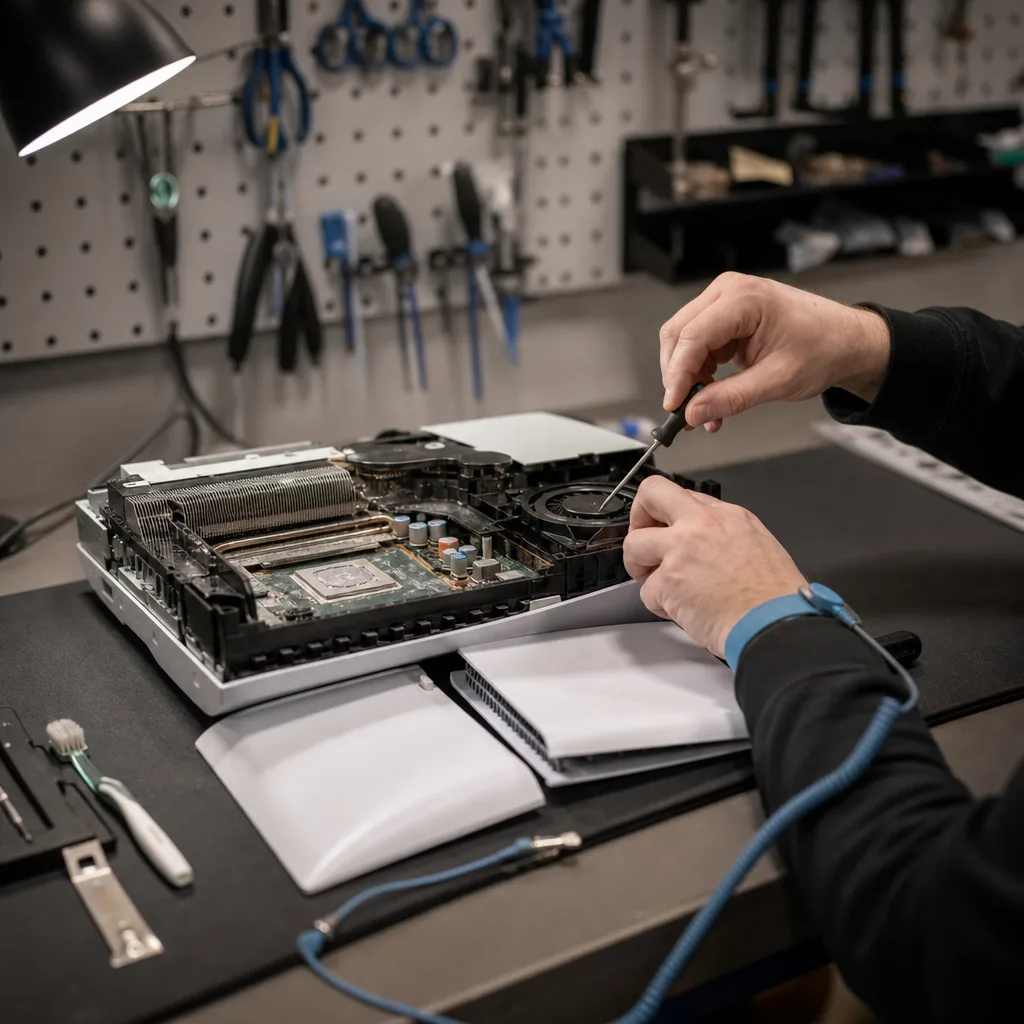
What’s Covered on This Page
Diagnosing Why a PlayStation Overheats or Shuts Off
Good PlayStation overheating repair starts with one question: is this really heat, or something that only looks like heat? The answer decides what gets fixed and what you pay for. So before anything comes apart, it helps to know the signs.
Here’s what overheating usually looks like from your couch:
- The fan gets loud, sometimes like a hair dryer, within a few minutes of starting a game.
- The top or back of the console feels hot to the touch.
- You get an on-screen warning that the system is too hot.
- The console shuts off during heavy games but runs fine on menus or streaming apps.
- Games stutter or freeze more often the longer you play.
When those signs show up together, the cause is almost always inside the cooling system. A PlayStation moves heat away from its main chip through a heatsink and a fan. If any part of that path breaks down, heat builds up fast.
- Dust and pet hair packed into the fan and heatsink fins, which blocks airflow.
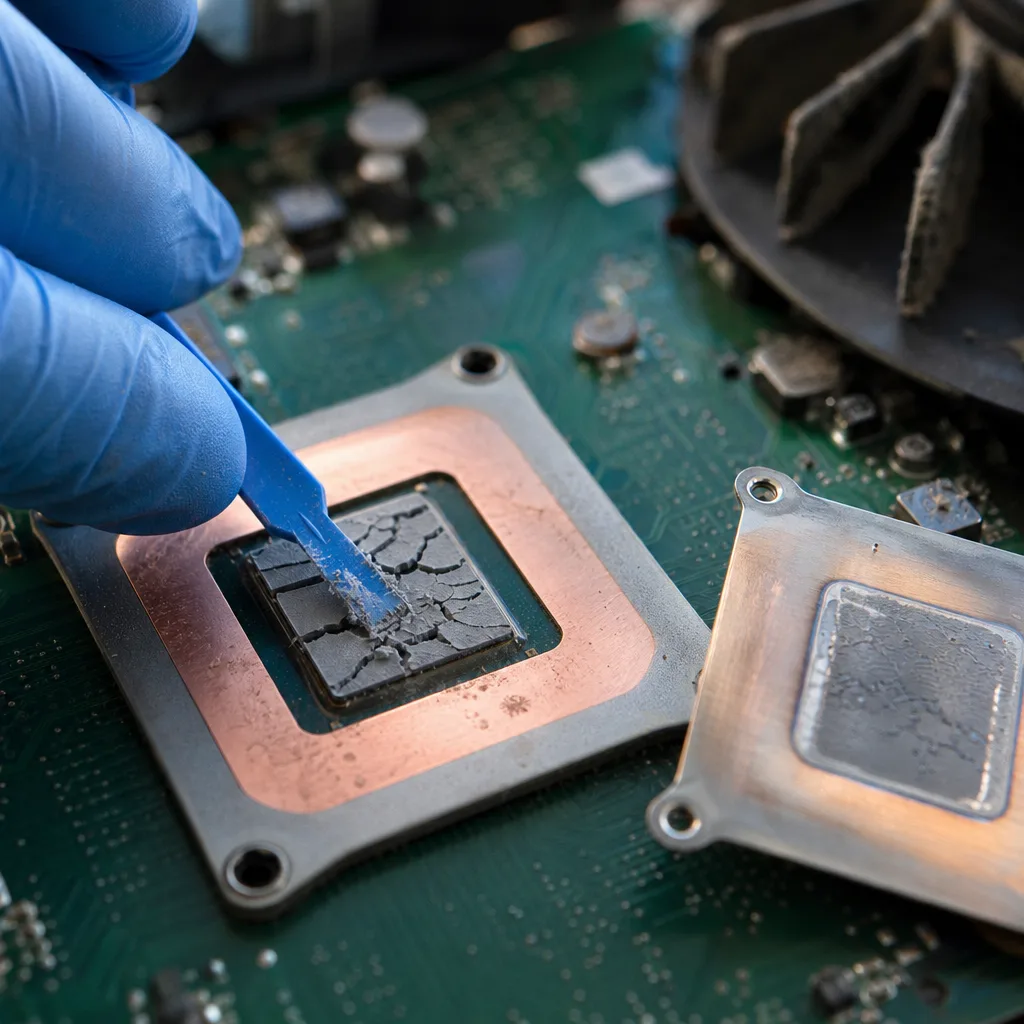
- Old thermal paste that has dried out, so heat doesn’t move off the chip well.
- A fan that’s worn, wobbling, or spinning slower than it should.
- Poor placement, like a closed TV cabinet, carpet, or a spot pressed against a wall.
Some of this you can check yourself. Move the console out into open air and give it a few inches of space on every side. Look at the vents. If you can see a layer of dust, that’s a clue. If the console stops shutting off after you move it, placement may have been the whole problem.
If the problem keeps coming back after that, the dust and old paste are usually deep inside, past where a can of air can reach. Blowing air into the vents can also push dust further into the heatsink, so it’s not a real fix.
Now the part many people miss. Not every shutdown is heat. If your PlayStation turns off while it’s cool and quiet, won’t stay on at all, or clicks off the second you start it, the problem may be power delivery or the motherboard. Cleaning the fan won’t fix that. Heat damage that went on too long can also leave behind board-level problems, even after the cooling is fixed.
That’s why diagnosis matters. At Just Phone Repair & Electronics, I assess the console myself and explain what I find, what the repair options are, and what they’ll cost before any work starts. With over 13 years of hands-on repair experience and specialized skills in microsoldering and motherboard repair, I can tell a simple cooling problem apart from a deeper board issue. You don’t pay to fix the wrong thing.
Cleaning and Airflow Fixes vs. Board-Level Repair
Once you know the problem is really heat, the repair usually goes one of two ways. Either the cooling system needs a proper service, or the heat has already caused damage on the motherboard. These are very different jobs with different skills, time, and cost. Knowing which one you’re facing keeps you from overpaying for a simple fix or underpaying for a quick clean that won’t last.
A cooling service is the more common path, and it goes well past a can of air. A proper service usually covers these steps:
- Opening the console and clearing packed dust out of the fan and heatsink fins.
- Removing the old, dried thermal material from the main chip and applying fresh material.
- Checking that the fan spins freely and at full speed, then replacing it if it’s worn or noisy.
- Putting the console back together and running it under a heavy game to confirm the heat is under control.
One thing to know about the PS5 is that it uses liquid metal instead of regular paste on the main chip. Liquid metal conducts electricity. If it spreads onto nearby parts while the console is open, it can short the board. That’s a big reason a PS5 cooling job isn’t a good first DIY project, even if you’re handy.
Board-level repair is the other path. If a console overheated for a long time, or kept running hot for months, the heat can damage small components on the motherboard. You might notice the console still shuts off after it’s been cleaned, or it starts having power problems on top of the heat. Cleaning won’t touch that. It takes motherboard repair and microsoldering, which means finding the failed part and replacing it on the board itself. With specialized skills in both, I can handle that work at Just Phone Repair & Electronics instead of sending you somewhere else.
Across the repair industry, a few things move the cost up or down:
- How deep the job goes. A cooling service costs less than board work.
- Parts. A replacement fan adds cost, and so do board components.
- The model. Some consoles take longer to open and close up safely.
- How long the heat problem went on. Waiting can turn a cooling job into a board job.
Before you hand your console to anyone, ask a few simple questions. Does the quote include new thermal material, or just dusting? Will they test the console under a real game load before you pick it up? And if they find board damage once it’s open, will they call you first before doing more work?
That last question matters most. When I assess your console, I explain which path it needs and what it’ll cost before any work starts. If the job turns out bigger than a cleaning, you’ll hear it from me first. That’s the point of finding the real cause. You pay for the fix your PlayStation needs, and nothing it doesn’t.
Independent Repair vs. Manufacturer Replacement
Once you know your PlayStation has a heat problem, you have three real choices. You can send it to the manufacturer, buy a new console, or have it repaired by an independent shop. Each one makes sense for a different person, so here’s the honest version.
Start with the manufacturer if your console is still new and still covered. Check your coverage before anyone opens it, including us. If the manufacturer will handle it, that’s often the simplest path, and you should take it. We’d rather tell you that up front than take a job you didn’t need to pay for.
A new console makes sense when the old one has more wrong with it than heat. That could mean years of hard use, several failing parts at once, or a repair quote that comes close to the price of a new system. If I open your console and that’s what I find, I’ll tell you. Sometimes the best advice is to stop putting money into a machine.
For most people with an older PlayStation that runs hot, a local repair is the practical choice. Here’s why:
- You keep your own console, along with its storage and setup.
- You don’t have to box it up and ship it away.
- You talk to the person doing the work, not a call center.
- A cooling service or board repair usually costs far less than a new system.
- If the heat already caused board damage, it can be fixed instead of written off.
That last point is where a shop’s skills make the difference. A general repair counter can clean a fan. Fewer shops can find a failed part on the motherboard and replace it with microsoldering. I’ve been doing hands-on electronics repair for over 13 years, and motherboard repair is one of my specialties. My wife also helps with game console repairs here. Your PlayStation stays with people who can follow the problem wherever it leads.
Before any repair, back up your game saves if you can. A good repair shouldn’t touch your data, but backing up is smart before any electronic device gets opened.
While your console is in, it’s worth mentioning anything else that’s bugging you. We also handle PS5 HDMI port repair and controller stick drift. One drop-off can cover several problems.
Just Phone Repair & Electronics is at 4971 N High St in Columbus. Customers tell us they value honest pricing, clear communication, and quality work. You’ll get a straight answer about what your PlayStation needs and what it’ll cost before any work starts. Then you decide.
Have questions? We’re happy to help.
Get Instant Quote Now. JUST PHONE REPAIR & ELECTRONICS is ready to help.
What Happens During a PlayStation Overheating Assessment
The assessment is where guessing stops. It’s the step that decides everything after it, so it helps to know what goes into it and how you can make it faster.
The more you can tell me about when the problem happens, the faster I can narrow it down. Before you come in, think about these things:
- When it shuts off. Is it right at startup, after 10 or 20 minutes, or only during certain games?
- Which games set it off. A big new game and a menu screen put very different loads on the console.
- What you notice first. It could be a loud fan, a heat warning on screen, a freeze, or a sudden black screen.
- Where it sits at home. An open shelf, a closed cabinet, a spot near a heater vent, and carpet all affect airflow differently.
- Whether it’s been opened before, by you or by another shop.
- How long it’s been going on. A week of shutdowns and a year of them can point to different problems.
Those last two points matter more than most people expect. A console that’s been opened before might have paste put on wrong, a missing screw, or a fan cable that wasn’t seated right. On a PS5, a past repair attempt can also mean the liquid metal has moved. And the longer a console has run hot, the more reason there is to check the board closely.
A thorough assessment looks at more than the vents. Here’s what a good check should cover:
- Whether the problem is really heat, or a power or board issue that only looks like heat.
- The fan. It should spin freely and at full speed, without rattling or wobbling.
- How much dust is packed into the heatsink fins, not just what you can see at the vents.
- The condition of the thermal material on the main chip.
- Signs of heat damage on the motherboard, like discolored spots or damaged parts near the chip and power area.
At Just Phone Repair & Electronics, I do the assessment myself. Then I explain what I found in plain words, without the technical jargon, and walk you through your repair options and the pricing for each. My wife assists with game console repairs. That means your PlayStation stays with our family-run team from start to finish. It isn’t passed down a line.
If you leave the console for repair, I’ll give you updates as the work moves along. You won’t have to call around wondering where things stand.
Don’t expect a firm timeline before I’ve looked inside, though. A cooling service and a board repair take very different amounts of time. Any timing I gave you up front would just be a guess. An honest estimate comes after the assessment, once I know which job your console needs.
If something else has been bugging you, like a loose HDMI port or a controller that drifts, bring it up when you drop off the console. It’s easier to look at everything at once than to make a second trip.
When a PlayStation Does Not Need Professional Repair
Not every warm, noisy PlayStation is broken. Some of what people bring up as overheating is just a console doing its job. Here’s the honest list of times you don’t need us.
First, some heat and noise are normal. A PlayStation pushes hot air out of its vents on purpose. That’s the cooling system working. These signs on their own aren’t a problem:
- The fan gets louder during a big, demanding game and quiets down on menus.
- The air coming out of the back feels warm or even hot.
- The case feels warm after a long session.
- The console stays a little warm in rest mode while it downloads updates or games.
What matters is the pattern. A fan that ramps up and settles down is healthy. A fan that roars within minutes on every game, followed by shutdowns, is a different story.
Second, one bad day isn’t a trend. Say you got a single heat warning on a hot afternoon with the windows closed, or after a long marathon session. Then it never happened again. That doesn’t call for a repair. Rooms get hot, and a console in a warm room has less cool air to work with. Watch it for a while. If it stays fine, it’s fine.
Third, the trouble might be a single game, not the console. If one title freezes or crashes but everything else runs smoothly, the game itself may be the issue. Make sure the system software and the game are both up to date before you assume it’s hardware. A console with a real cooling problem tends to struggle across many heavy games, not just one.
Fourth, the placement fix from earlier may be the whole answer. If moving the console into open air stopped the shutdowns, you’re done. Keep it there. No cleaning or parts needed.
One more thing to skip: add-on cooling gadgets. Clip-on fans and cooling stands rarely fix a console that’s packed with dust or running on dried-out thermal material. Some even cover vents and make airflow worse. If your PlayStation needs one of these to stay on, that’s a sign the problem is inside, and the gadget is only hiding it.
So when does it stop being a wait-and-see situation? When the shutdowns keep coming back after you’ve given the console open space, when the fan stays loud even on light tasks, or when it shuts off while it’s cool. Those point to dust deep in the heatsink, worn thermal material, a failing fan, or a power issue, which are all covered in the sections above.
If your console only does the normal things on this list, keep playing. You don’t need to spend a dime.