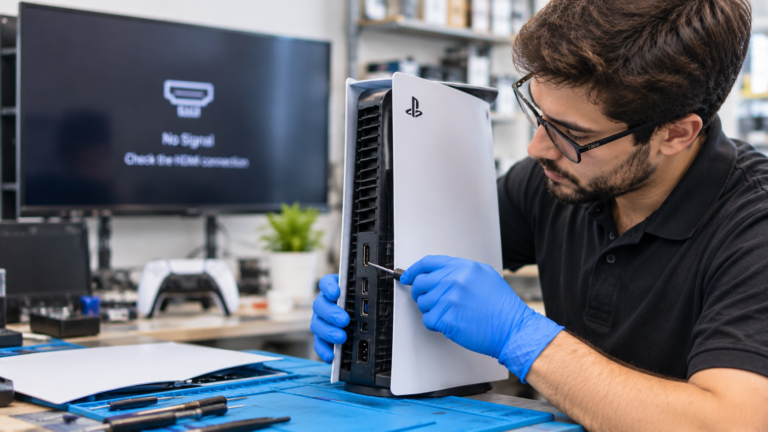
Why Is My PS5 HDMI Port Not Working?
A PS5 that powers on but shows no picture usually has a cable, TV, or settings problem rather than a broken port, so the free fixes come first. iFixit’s PS5 black screen guide lists the most common causes as a TV on the wrong input, a damaged or loose HDMI cable, a resolution the display cannot handle, a Rest Mode glitch, and power problems. A physically damaged port is the next most likely cause, especially after a console is moved with the cable attached or knocked off a stand. Less often, the fault is on the motherboard, such as the HDMI retimer chip that conditions the video signal before it leaves the console. Our separate guide on PS5 HDMI port vs. HDMI chip problems explains that board-level difference. This post focuses on what you can safely check at home and the physical signs that mean the port itself needs repair.
What Should You Check Before Paying for PS5 HDMI Repair?
Work through Sony’s own checklist first, because it takes about half an hour and costs nothing. PlayStation Support recommends confirming the TV is set to the right HDMI input, testing your HDMI cable on another device such as a laptop, reseating the cable firmly, and using the HDMI 2.1 cable included with the PS5. Sony also suggests connecting the console directly to the TV without a soundbar, receiver, or capture device in between, and making sure the TV has its latest firmware. If those steps fail, a full power cycle often clears a stuck connection between the console and the TV. Try one step at a time and retest after each, so you know which change made the difference. If nothing works on two different TVs, the problem is much more likely inside the console.
- Set the TV to the HDMI input the PS5 is plugged into.
- Test your HDMI cable on another device, then try the cable that came with the PS5.
- Plug the PS5 straight into the TV and disconnect soundbars, receivers, and capture devices.
- Turn off the TV and PS5, unplug both power cords, wait 20 minutes, and reconnect.
- Update the TV firmware and try a different HDMI input on the TV.
- Test the console on a second TV or monitor.
How Do You Use PS5 Safe Mode to Fix a Blank Screen?
Safe Mode lets you change the video output even when you cannot see the home screen, which fixes many no-signal problems caused by resolution or HDCP mismatches. According to PlayStation Support, turn the console off by holding the power button for about three seconds. Then press and hold the power button again and release it after the second beep, which comes about seven seconds after the first. Connect a DualSense controller with a USB cable and press the PS button. In the Safe Mode menu, choose Change Video Output, where Sony offers Change Resolution and Change HDCP Mode. Choosing a lower resolution often brings the picture back on older TVs and monitors, and you can raise it again later in Settings. Safe Mode also includes Restore Default Settings, which Sony says resets settings without deleting games, apps, or saved data. Avoid Reset PS5, since that option erases user data.
Could Your TV Settings Cause the PS5 No Signal Error in Columbus Homes?
Yes, a TV setting can block the PS5 signal even when the port and cable are fine. The PS5 can output 4K at 120Hz, and many TVs accept high-bandwidth signals only on certain HDMI inputs or after an enhanced input mode is turned on. Brands use different names for that setting, which is why Sony tells owners to check the TV manual for settings needed for high-resolution signals. Older TVs, computer monitors, and some receivers can also reject the signal the console sends by default, which is exactly what the Safe Mode resolution and HDCP options address. Rest Mode is another suspect. iFixit notes that some consoles fail to wake properly from Rest Mode and show a black screen, and a force shutdown usually clears it. If the picture returns on a different TV, the console is fine, and the problem lives in your original TV’s settings or input.
What Are the Signs Your PS5 HDMI Port Is Physically Damaged?
A physically damaged HDMI port usually gives visible or hands-on clues, and the problem follows the console to every TV and cable you try. Shine a flashlight into the port, but do not insert tools, because the pins are tiny and bend easily. The original PS5, PS5 Slim, and PS5 Pro all use an HDMI port soldered directly to the motherboard, so a damaged port is replaced with micro-soldering, not a plug-in part. Stop plugging and unplugging cables if you see damage, since forcing a connector can tear the port’s pads off the board and make the repair more involved. If the port looks perfect, the cable fits tightly, and you still get no signal on several TVs, the fault may be on the board instead, which a technician confirms on the bench. Watch for these signs:
- The cable feels loose or wiggles instead of seating snugly.
- The picture flickers or drops out when you touch or move the cable.
- Pins inside the port look bent, pushed in, or missing.
- The metal shell is dented, or the port tilts or pulls away from the board.
- The problem started right after a fall, a tripped cable, or moving the console while plugged in.
How Much Does PS5 HDMI Port Repair Cost in Columbus, Ohio?
Independent shops typically charge about $150 to $200 for a PS5 HDMI port replacement, according to a BGR repair cost report published in September 2026, with prices rising when the motherboard is also damaged. That compares with Sony’s U.S. prices, effective April 2, 2026, of $599.99 for the PS5 Digital Edition, $649.99 for the standard PS5, and $899.99 for the PS5 Pro, according to the PlayStation Blog. Repair also keeps your installed games, saves, and settings in place. These are market figures, not our prices. At our Clintonville shop, the exact cost comes as an upfront quote after a free diagnostic, and game console repairs carry a 90-day warranty. For a full breakdown of how port, pad, and chip damage change the price, read our guide to PS5 HDMI port repair cost in Columbus.