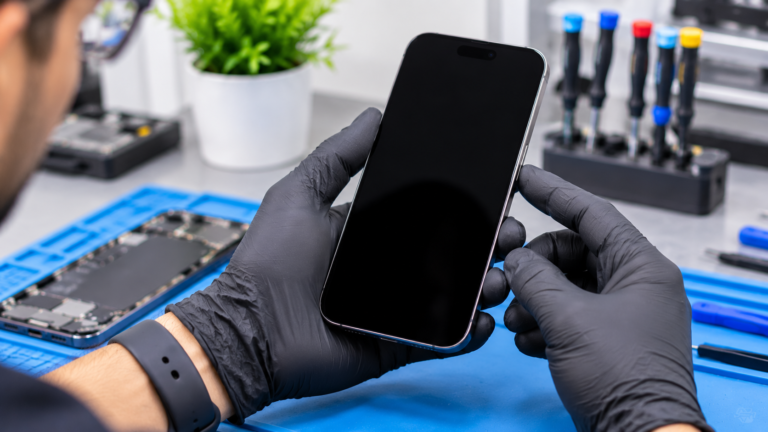
Why Is My iPhone Screen Black When the Phone Is Still On?
When your iPhone still rings, vibrates, plays notification sounds, or answers Siri while the screen stays dark, the phone itself is running and the problem sits somewhere between the logic board and the display. That is good news for your data, because a running phone is often a recoverable phone. The usual causes fall into five groups: a frozen or crashed system, a display connector that has loosened or been damaged, a failed OLED panel, a failed backlight on older LCD models, and liquid damage that has corroded the display circuit. Each one needs a different fix, which is why replacing the screen first and asking questions later can waste money. Note what happened right before the screen went black, such as a drop, a spill, an iOS update, or a night in a cold car. That detail helps a technician narrow down the cause quickly.
How Do You Force Restart an iPhone With a Black Screen?
A force restart is the first thing to try, because it clears a frozen system without erasing anything. The button order depends on your model, and the steps below follow Apple’s support article on restarting an unresponsive iPhone, checked in November 2026. Apple notes that holding the final button can take longer than 10 seconds, so keep holding until the Apple logo appears rather than letting go early. If nothing happens, Apple suggests charging the iPhone for one hour and then trying again, since a fully drained battery can look like a dead screen. If the Apple logo appears and the phone starts normally, the cause was likely software. If the screen flashes on and then goes dark again, or never lights up while the phone keeps vibrating, the problem is most likely hardware.
- iPhone 8 and later, including iPhone SE (2nd and 3rd generation): press and quickly release volume up, press and quickly release volume down, then press and hold the side button until the Apple logo appears.
- iPhone 7 and 7 Plus: press and hold the side button and the volume down button together until the Apple logo appears.
- iPhone 6s and earlier, and iPhone SE (1st generation): press and hold the Home button and the side or top button together until the Apple logo appears.
- No response: charge for one hour using a known good cable and adapter, then try the force restart again.
Could a Software or Settings Problem Make the Screen Look Black?
Yes, although it is less common than hardware failure. An iOS crash, a stalled update, or an app that froze the system can stop the display from receiving a signal, and a force restart usually clears those cases. Settings can also fool you. Brightness turned all the way down in a dark room, or an accessibility zoom filter set to a very dim level, can make a working screen look dead. Asking Siri to turn the brightness up is a quick test. If the phone is frozen on a black screen after an update, connect it to a computer you have trusted before and see whether Finder or iTunes recognizes it, so you can make a backup. Back up before anything else, because a phone that comes back on for a few minutes may not do it again.
Can a Loose or Damaged Display Connector Cause a Black Screen?
Yes, and it is one of the most common causes after a drop. The display connects to the logic board through a thin flex cable that snaps into a small connector under a metal bracket. A hard impact can shift that connector or damage the flex cable, and a previous screen repair with a poorly seated connector can fail weeks later. The phone keeps running, but the image never reaches the screen. Repair guides on iPhone board work also describe tiny filters and chokes near the display connector that can be damaged by a short or by prying during disassembly, which takes micro-soldering to fix. Do not open the phone yourself to reseat the cable. Without static protection and the correct tools, it is easy to tear the flex or damage the board. A technician can test with a known good screen to tell a connector fault from a failed panel in minutes.
How Can You Tell OLED Failure From Backlight Failure?
It depends on which screen your iPhone uses. OLED pixels make their own light, so OLED models have no backlight, and a black OLED screen usually means the panel or its circuit has failed. LCD models use a separate backlight, and when that fails, the image is often still there, just unlit. Try a flashlight test on an LCD model: shine a light at the screen at an angle in a dark room and look for faint icons. A drop can also break an OLED panel inside without cracking the glass, often showing green lines, black ink spots, or flicker before going fully dark. A failed panel usually means a new display, while backlight problems are sometimes on the board. To compare prices, see our breakdown of phone screen repair cost in Columbus. For accidental damage under AppleCare+, Apple’s fee page lists $29 for screen damage (checked November 2026).
- OLED models (no backlight): iPhone X, XS, XS Max, 11 Pro, 11 Pro Max, and iPhone 12 and later.
- LCD models (with a backlight): iPhone 8 and earlier, XR, 11, and SE (2nd and 3rd generation).
- Faint image under a flashlight on an LCD model: points to a backlight problem.
- Green lines, ink blots, or flicker before going black: points to OLED panel damage.
Can Water Damage or Cold Ohio Weather Cause an iPhone Black Screen?
Yes to both, but in very different ways. Liquid can corrode the display connector or the display circuit on the logic board, and that damage often shows up days or weeks after the spill. If your iPhone got wet before the screen went black, do not charge it, skip the rice that Apple warns against, and read our water damaged phone repair guide before doing anything else. Cold is usually temporary. Apple lists an operating temperature range of 32 to 95 degrees Fahrenheit for iPhone, and a phone left in a car overnight during a Columbus winter can shut down or fail to light up until it warms. Let it reach room temperature slowly, without a heater or hair dryer, then try again. If the screen stays black after the phone is warm and charged, it needs a hands on diagnostic.