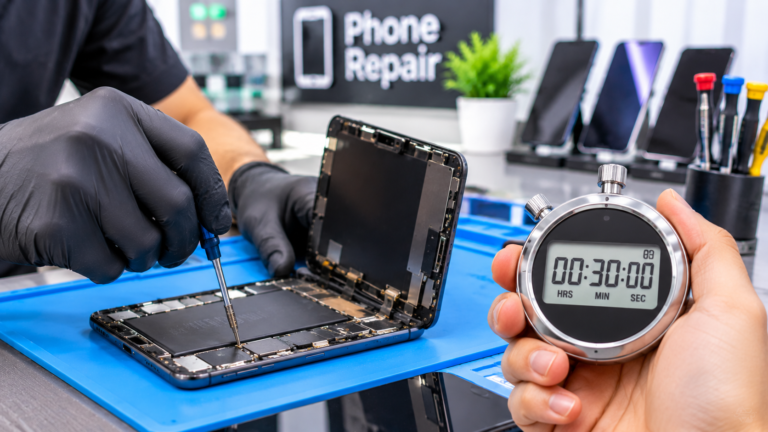
How Long Does a Phone Screen Repair Usually Take?
A phone screen repair usually takes part of a day, not several days, as long as the right screen is on the shelf. The hands-on work is only one piece of the timeline. A typical visit includes a quick diagnostic to confirm that only the screen is damaged, the repair itself, time for the new adhesive to bond, and a round of testing before pickup. For a sense of the hands-on part, iFixit’s home repair guides, checked in November 2026, estimate 45 minutes to 1 hour for a Google Pixel 9 screen and 1 to 2 hours for an iPhone 15 screen. Those estimates are written for first-time DIY repairers, and technicians who do the same repair every week tend to move faster. What stretches a screen repair into the next day is usually an ordered part or hidden damage, not the screen swap itself.
How Long Does Screen Repair Take on iPhone, Samsung, and Pixel Models?
Screen repair time depends heavily on how the phone is built. On an iPhone, the display comes off the front of the phone and is held in place by clips and a pre-cut adhesive strip, which makes it one of the more predictable screen repairs. Many recent Samsung Galaxy flagships are different. iFixit describes the Galaxy S24 Ultra replacement part as a single assembly that combines the screen, battery, and frame, which means the technician moves the internal parts into the new frame rather than swapping a panel. That takes longer, and iFixit lists 1 to 2 hours for it at home. Google Pixel screens also come off the front, but models with an under-display fingerprint reader need a calibration step afterward. Foldable inner screens and less common models are the most likely to need an ordered part.
- iPhone 15: iFixit lists 1 to 2 hours for a DIY screen replacement, rated Moderate.
- Google Pixel 9: iFixit lists 45 minutes to 1 hour, rated Moderate, plus fingerprint calibration.
- Samsung Galaxy S24 Ultra: iFixit lists 1 to 2 hours for the screen and battery assembly.
- Foldables and less common models: more likely to need a part ordered, which adds a day or more.
Why Does Screen Adhesive Need Time to Set After a Repair?
Adhesive is what holds the new screen flat and helps seal out dust and water, so it needs a little time to bond. Pre-cut adhesive strips, used on iPhones and many Pixel models, bond with firm pressure. iFixit’s iPhone 15 guide suggests clamping the screen, or pressing it under weight for at least 30 minutes and ideally overnight when clamps are not available. Shops with screen clamps and presses can shorten that wait. Some repairs use liquid adhesive instead, and one adhesive supplier’s guide says T-7000 glue dries in 3 to 5 minutes but needs 24 to 48 hours to fully cure. Either way, treat a freshly repaired phone gently for the first day. iFixit also notes that water resistance after a repair depends on how well the adhesive is applied, so do not count on the original water resistance rating afterward.
What Happens After the New Screen Is Installed?
After the screen goes in, a careful shop spends time testing before handing the phone back, and newer phones add a few software steps. On an iPhone, Apple’s Parts and Service History in Settings, General, and About shows whether the display is listed as Genuine, Unknown, or Used. Apple says genuine parts are individually calibrated, and a part shows Finish Repair until that step is completed with Repair Assistant. iFixit adds that True Tone and auto brightness are disabled after a screen replacement on iOS 17.6 and earlier. On a Pixel with an under-display fingerprint reader, iFixit’s guide says to calibrate it with Google’s Pixel Update and Software Repair tool. These steps take minutes, not hours, but they are part of why a quality screen repair is more than a quick swap. Ask which features were tested before you leave.
- Touch response across the whole screen, including the edges and corners.
- Brightness, color, and any dead pixels or lines on the display.
- Face ID or fingerprint unlock, the front camera, and the proximity sensor.
- Earpiece, microphone, and charging after reassembly.
What Happens if Your Screen Has to Be Ordered in Columbus?
If the screen for your model is not in stock, the repair usually takes an extra day or more while the part ships. Popular iPhone, Samsung Galaxy, and Google Pixel screens are among the most common repairs, so they are often available, while older models, foldable inner screens, and less common brands are more likely to need an order. Calling ahead before you drive in from Dublin, Westerville, or Bexley is optional, but it is the easiest way to know whether your repair can be done today. If a part has to be ordered, you get the quote and an estimated timeline first, so you can decide before anything is ordered. If the phone still works, ask whether you can keep using it until the part arrives. Our phone screen repair cost guide helps you plan the budget while you wait.
What Should You Bring and Back Up Before a Screen Repair?
A little preparation keeps a screen repair on schedule. A screen replacement does not normally touch your stored data, but backing up first protects you if hidden damage turns up. On an iPhone, check that iCloud Backup or a computer backup ran recently. On Android, check your Google backup, and keep in mind that Google says photos, videos, and contacts sync to their own services separately from the device backup. Knowing your exact model saves time, because many phones look alike from the outside but use different screens. Bring your passcode, since the technician needs it to test touch, cameras, and unlock features afterward. If the cracked glass is sharp or flaking, cover it with clear packing tape for the trip. If the phone has other problems too, our guide to repairing a cracked screen or buying a new phone can help you decide.
- A recent iCloud, computer, or Google backup.
- Your passcode or PIN for testing after the repair.
- Your exact model, found in Settings under About.
- Notes about recent drops or spills, so hidden damage gets checked.