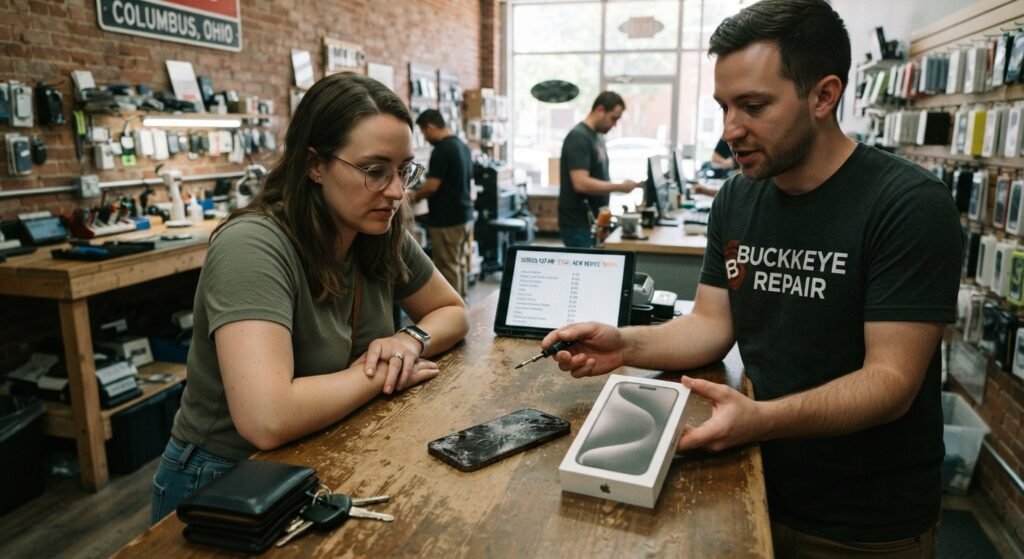
Is It Worth Fixing a Cracked Phone Screen?
Yes, fixing a cracked phone screen is usually worth it when the rest of the phone works well and the repair costs well under half of what a comparable replacement would. A new display restores touch response, brightness, and appearance without the cost of a new device or hours of setup.
A crack rarely stays small. Pocket pressure, drops, and temperature changes spread it across the glass, and openings let dust and moisture reach the display and the parts underneath. Repairing early often keeps a simple screen job from turning into a bigger repair.
Repair also has hidden savings. A new phone often means new cases, screen protectors, and time spent transferring accounts, authenticator apps, and photos, none of which you face with a repair.
If you own an iPhone, our guide on whether to repair an iPhone or buy a new one covers Apple-specific factors like iOS support.
When Should You Repair Instead of Replace Your Phone?
Repair is the smarter choice when the phone still meets your needs and the damage is limited to the screen. These are the strongest signs a repair makes sense:
- The phone is roughly four years old or newer and still gets software updates.
- Battery life, cameras, and charging still work well.
- The damage is limited to cracks, lines, dead spots, or touch problems.
- You want to keep your apps, photos, accessories, and settings without migrating anything.
- The repair quote is well below the price of a comparable new or refurbished phone.
If the battery is also tired, pairing a screen repair with a phone battery replacement can make an older phone feel close to new for much less than an upgrade.
Not sure where to go? Our comparison of local repair shops vs. big-box chains explains what to look for in a repair shop.
When Does Buying a New Phone Make More Sense?
Buying a new phone makes more sense when the repair would cost close to the phone’s value or the device has problems beyond the screen. A common rule of thumb is to consider replacing when the repair exceeds about 50 percent of what the phone is worth.
- The phone no longer receives security or operating system updates.
- It has liquid damage, a bent frame, or board-level faults along with the cracked screen.
- Performance is slow enough that you were already planning to upgrade.
- It’s a foldable or premium model where the display costs more than the phone’s resale value.
Even then, a free diagnostic tells you exactly what is wrong before you spend money on either option. If the phone got wet along with the fall, read our guide to water damaged phone repair first.
If you do upgrade, a repaired older phone can still be worth keeping as a backup or handing down to a family member, and a working screen improves its trade-in or resale value.
Phone Screen Repair in Columbus, Ohio: What Affects the Decision?
The phone model and display type drive most of the repair cost. OLED screens used in many recent iPhone, Samsung Galaxy, and Google Pixel models cost more than older LCD panels, and curved or foldable displays cost more still.
Damage beyond the glass matters too. Black spots, green or pink lines, flickering, or a screen that ignores touch usually mean the display panel itself is damaged, not just the top glass. For a closer look at pricing, see our breakdown of phone screen repair cost in Columbus, Ohio or our guide to iPhone screen repair cost.
Part quality also shapes the result. Higher-quality replacement screens usually match the original brightness, color, and touch feel more closely, while low-grade parts can look dim or drain the battery faster. Ask which grade is quoted so you can compare fairly.
What Should You Do Right After Cracking Your Phone Screen?
Protect the phone first, then back it up and get a diagnostic. A cracked screen can fail suddenly, so a few quick steps can save your data and your fingertips.
- Put a screen protector or clear packing tape over sharp cracks to hold the glass in place.
- Back up photos and data to iCloud, Google, or a computer while the touchscreen still works.
- Keep the phone dry, since cracks let moisture reach internal parts.
- Avoid pressing on dark or bleeding areas of the display.
- Bring it in for a free diagnostic before the damage spreads.
If the display still works, turn on automatic backups and note any spots where touch stops responding, so the technician can check them during the diagnostic.