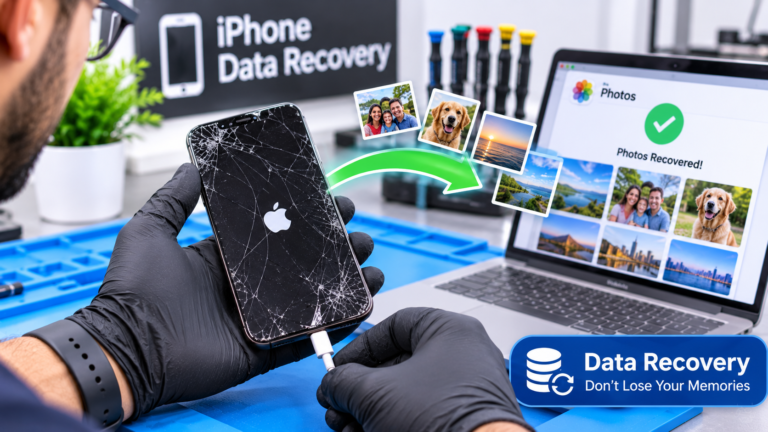
Can You Recover Photos From a Broken iPhone?
In many cases, yes. The photos on a broken iPhone are usually still sitting on its storage chip, even when the screen is shattered or the phone will not turn on. The real question is how you reach them. The easiest route is a copy that already exists somewhere else, such as iCloud Photos or a computer backup. If no copy exists, the phone itself has to work again, at least for a short time, so the photos can be backed up while it is unlocked. That is why a cracked screen, a dead battery, or a failed charging port is often a recoverable situation, while severe board damage is harder. No honest shop can promise recovery before looking at the phone, because results depend on the type and extent of the damage. A diagnostic tells you which path is realistic and what it is likely to cost before any work begins.
Are Your Photos Already Saved in iCloud?
Check iCloud before you pay for anything. Apple explains that when iCloud Photos is turned on, your photos and videos sync to iCloud automatically, which is also why they are not included in your daily iCloud Backup. If the setting was on before the phone broke, your library may already be safe, and you can view it without the broken iPhone at all. Apple notes that you can see iCloud Photos on another Apple device signed in to the same Apple Account, on iCloud.com, or on a Windows PC. Look at the date of your newest photos to see when syncing last happened, since a full iCloud storage plan can quietly stop uploads. If your recent pictures are there, download the originals right away. If the library is empty or out of date, the photos you need are probably only on the phone, and repair becomes the next step.
- Sign in at iCloud.com with your Apple Account and open Photos.
- Open Photos on an iPad or Mac signed in to the same account.
- Use iCloud for Windows on a PC to download originals.
- Check the date of your most recent photo to spot gaps.
Why Can’t a Technician Just Pull Photos Off the Memory Chip?
Modern iPhones encrypt your data with keys tied to that specific phone. Apple’s Platform Security guide explains that a unique ID is fused into the iPhone’s chip at manufacturing, that this ID is not available to Apple or its suppliers, and that it allows data to be cryptographically tied to a particular device. Apple adds that if storage is physically moved from one device to another, the files are inaccessible. In plain terms, removing the memory chip and reading it on another device does not give you usable photos. The original logic board, with its processor and security hardware, has to power on and be unlocked with your passcode. This is why iPhone data recovery is really device repair. A technician restores enough of the phone, whether that is a screen, battery, charging port, or a board-level circuit, so the phone boots and you can back up the data the normal way.
Can a Repair Get a Broken iPhone Working Long Enough to Back It Up?
Often it can, depending on what failed. Many broken iPhones still run normally underneath the damage, and they only need one part replaced before you can unlock them and back up. A new screen restores touch so you can enter your passcode, a fresh battery can revive a phone that shuts down instantly, and a working charging port lets a drained phone power on again. Harder cases involve a logic board that will not boot after a drop, a power surge, or liquid exposure. These may need board-level diagnosis, and outcomes vary from phone to phone. If you were planning to replace the phone anyway, a repair focused on data can still be worth it, because getting photos off first is usually cheaper than losing them. Our guide on repairing a cracked phone screen or buying a new phone can help you decide what to do with the phone afterward.
- Cracked or black screen: a display replacement often restores access.
- Instant shutdowns or no power: a battery or charging repair may help.
- Liquid exposure: cleaning and board repair are possible but less predictable.
- Drop with no signs of life: board-level diagnosis is needed first.
How Do You Restore Photos From a Computer or iCloud Backup?
If you ever backed up the phone, you may be able to restore it onto a replacement iPhone without touching the broken one. Apple describes two backup methods. An iCloud Backup covers device data and settings that do not already sync to iCloud, and it includes photos only when iCloud Photos is off. A computer backup, made with Finder on a Mac or the Apple Devices app or iTunes on Windows, covers nearly all data and settings and lives on that computer. You can restore either type while setting up a new or repaired iPhone. There is a catch for broken phones that still work. Apple says you must unlock the iPhone and tap Trust before a computer can access it, and you cannot do that with a dead touchscreen. In that case, a screen repair first, then a fresh backup, is usually the fastest path to your photos and messages.
What Should You Do First if Your iPhone Breaks in Columbus?
Start with safe steps that do not risk more damage. Apple’s guidance for an unresponsive iPhone with Face ID is to press and quickly release volume up, press and quickly release volume down, then hold the side button until the Apple logo appears, which can take longer than 10 seconds. If nothing happens, Apple suggests charging for one hour and trying again. Stop there if the phone got wet or the battery looks swollen. Repeated power attempts on a wet phone can make corrosion worse, and Apple advises against putting a wet iPhone in rice. A swollen battery should not be charged or used at all. Whether you are a student near campus or a family in Worthington, getting the phone examined quickly gives you better odds, and it keeps the data path open before small problems spread.
- Force restart once using Apple’s button sequence.
- Charge for one hour with a known good cable and adapter.
- If wet, power off and skip rice, heat, and repeated restarts.
- If the battery bulges, stop charging and keep the phone away from heat.
- Write down your passcode, because you will need it to back up.