What Are the Repair Options for an Overheating PS5?
There are five main options, and they go from free to complex. Start with placement and dust, because Sony’s own guidance focuses there, then move to settings, and only then to internal repair. A heat warning followed by a shutdown usually points to blocked airflow, a tired fan, or a thermal interface problem, while a sudden shutdown with no warning can point to a power supply or board fault instead. Matching the fix to the symptom saves money and avoids opening a console that only needed better ventilation. If you want the background on why consoles run hot in the first place, our earlier post on why a PS5 keeps overheating and shutting off explains the common causes. This guide compares the repair paths so you can decide what to try yourself and what to hand to a technician.
- DIY placement and vent cleaning: free and safe for most owners.
- Rest mode and power settings: free, quick to test.
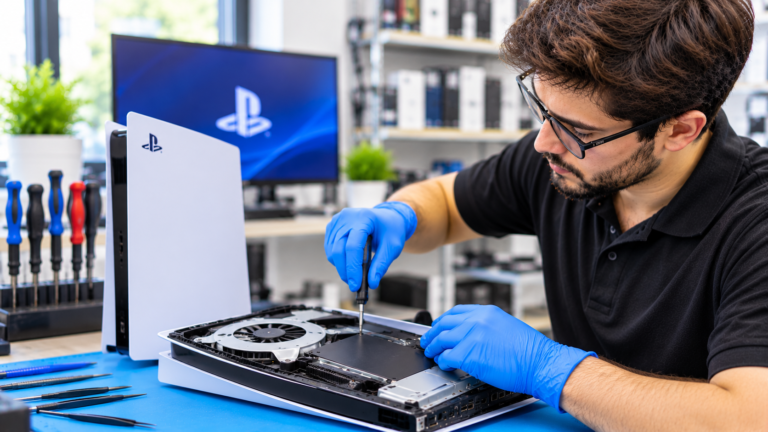
- Internal deep cleaning of the fan and heatsink: professional.
- Liquid metal service or fan replacement: professional.
- Power supply, APU, or board repair: advanced professional repair.
Can You Fix PS5 Overheating Yourself With Cleaning and Better Placement?
Often, yes. Sony’s PS5 safety guide says to keep the console at least 10 cm (4 inches) from a wall, avoid closed cabinets, long-fiber carpets, and cloth coverings, and keep it away from heaters and direct sunlight. PlayStation Support adds that you should unplug the AC power cable, then use a low-powered vacuum on the side and back vents. Sony’s 2020 teardown of the launch PS5 showed two dust catchers under the side covers that can be vacuumed, and Sony’s cover guide notes covers that are not attached correctly may cause overheating. The console is rated to operate from 41 to 95 degrees Fahrenheit, so a hot room in a Columbus summer matters. Stop at the covers, though. Sony’s safety guide says there are no user-serviceable parts inside and that opening the console by anyone not authorized by Sony is excluded from its warranty.
Do PS5 Rest Mode Settings Affect Overheating and Shutdowns?
Rest mode keeps parts of the console powered so it can charge controllers, download games, and install updates, so it is worth checking when a PS5 runs hot or shuts down while you are not playing. PlayStation Support lists the path as Settings, System, Power Saving, Features Available in Rest Mode. There you can choose how long the USB ports supply power, with options of Always or 3 Hours, plus an Adaptive option on the CFI-2000 model group. You can also limit internet features during rest mode. A simple test is to turn off nonessential rest mode features for a week and see whether the shutdowns stop. If the console still shuts off in rest mode or will not wake up, the problem is more likely a power or board fault than heat, and that calls for a diagnostic rather than more setting changes.
Thermal Paste vs. Liquid Metal: What Does a Launch PS5 Need?
Every PS5 model uses liquid metal, not standard thermal paste, between the main processor and the heatsink. Sony’s launch teardown described it as chosen for long-term cooling, and the PS5 Slim kept it in 2023. Liquid metal moves heat very well, but it conducts electricity and can shift. Beebom, reporting on Sony’s April 2025 PS5 Pro teardown, noted that repair shops had seen liquid metal move on original consoles used vertically, and that Sony added fine grooves on the Pro to keep it stable. When a launch PS5 overheats even with clean vents and a healthy fan, a technician may need to clean old liquid metal from the processor and heatsink and reapply it. Some shops use a high-performance paste or pad instead, which is easier to apply but may not cool as well. Ask what material is quoted and why.
When Does a PS5 Need Fan Replacement or Board Repair in Columbus?
A fan replacement is the next step when the console is clean but still runs hot, or when the fan grinds, rattles, or stops spinning. PlayStation Support says louder fan noise during demanding games is normal, but grinding, clicking, or a fan that never speeds up is not. Board level repair covers the faults that cleaning cannot touch, such as a failing power supply, damaged power circuits, or an APU that has been stressed by repeated overheating. These repairs need specialized tools and micro-soldering, and they are not DIY projects. Before paying for major work, compare the quote with the cost of a replacement console. For a broader decision framework, see our guide on whether it is worth repairing a PS5, Xbox, or Nintendo Switch. A diagnostic tells you which repair your console actually needs.
- Grinding, clicking, or rattling fan noise.
- The fan does not speed up as the console gets hot.
- Shutdowns with no overheat warning, which can mean a power fault.
- The console beeps and turns off, or will not power on at all.
How Do the PS5 Slim and PS5 Pro Handle Heat Differently?
The three PS5 designs cool differently, which changes the repair. The launch PS5 (CFI-1000 group) is the largest, has dust catchers under its side covers, and is the model most often reported with liquid metal movement. The PS5 Slim (CFI-2000 group) still uses liquid metal, and Beebom’s November 2023 teardown report noted an extra heat pipe on a smaller baseplate. The PS5 Pro (CFI-7000 group) has a larger, redesigned fan and the grooved liquid metal area Sony showed in its April 2025 teardown. Prices also matter for repair decisions. Since April 2, 2026, Sony’s US list prices have been $649.99 for the PS5, $599.99 for the Digital Edition, and $899.99 for the PS5 Pro, according to Shacknews. With new consoles costing that much in Ohio and everywhere else, cooling repairs on a working console are usually worth considering.