Why Does My PS5 Keep Overheating and Shutting Off in Columbus, Ohio?
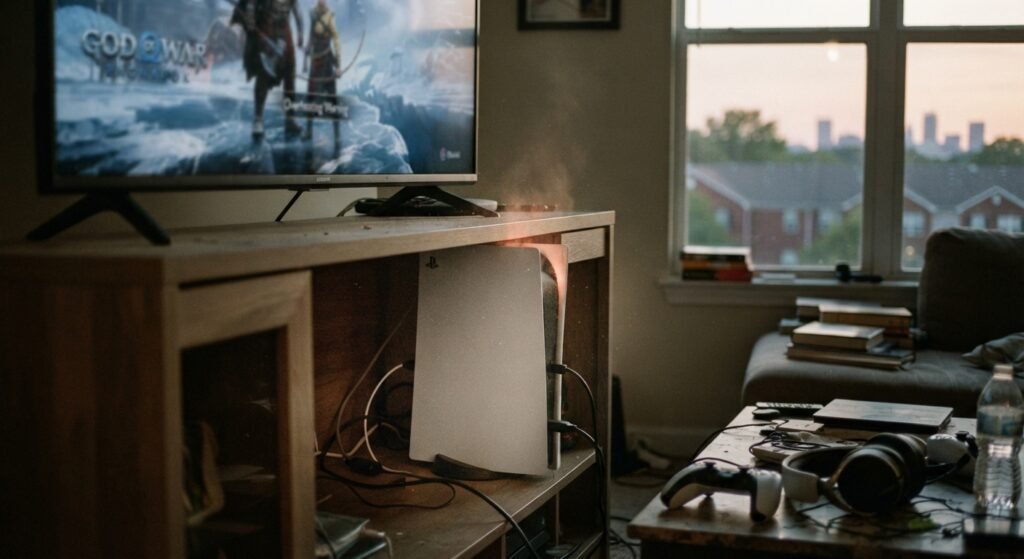
A PS5 that keeps overheating and shutting off usually has blocked vents, dust buildup in the fan and heatsink, poor airflow around the console, or a cooling or power fault inside. For PS5 overheating repair in Columbus, Ohio, our technicians deep clean, diagnose, and repair cooling and power issues, starting with a free diagnostic. See our game console repair service or contact us to get started.
Why Does My PS5 Keep Overheating and Shutting Off in Columbus, Ohio?
A PS5 that keeps overheating and shutting off usually has blocked vents, dust buildup in the fan and heatsink, poor airflow around the console, or a cooling or power fault inside. For PS5 overheating repair in Columbus, Ohio, our technicians deep clean, diagnose, and repair cooling and power issues, starting with a free diagnostic. See our game console repair service or contact us to get started.
Why Does My PS5 Keep Overheating and Shutting Off?
A PS5 usually overheats and shuts off because heat cannot escape fast enough. The console protects itself by showing a warning and shutting down when internal temperatures get too high. Sony built the PS5 with a large fan and heatsink, so a console that runs hot regularly usually has a specific, fixable cause. Common causes include:
- Dust and pet hair clogging the intake vents, fan, and heatsink.
- An enclosed cabinet or crowded shelf that traps hot air.
- A fan that is failing, noisy, or spinning slowly.
- A disturbed or degraded thermal interface between the processor and heatsink.
- Power supply problems that cause shutdowns that look like overheating.
What Are the Warning Signs of PS5 Overheating?
The most common warning signs are a loud fan, a hot case, and an on-screen message that the PS5 is too hot. Watch for:
- A fan that gets louder over time, even in less demanding games.
- Games that stutter, freeze, or crash during long sessions.
- An overheating warning, followed by a shutdown.
- A case that feels hot to the touch near the vents.
- A console that shuts off and will not turn back on until it cools down.
Catching these signs early usually makes the repair simpler and helps protect the internal parts.
Is It Overheating or a Power Problem?
If your PS5 shows a message that it is too hot before shutting down, the problem is likely heat. If it shuts off suddenly with no warning, beeps, or will not turn back on, a power supply or board issue may be the real cause.
Pay attention to when it happens. Shutdowns during demanding games after a long session point to cooling, while shutdowns at random times, even on the home screen, point toward power. A diagnostic at our Columbus electronics repair shop can test both.
Some consoles have both problems, since heat stress can weaken a power supply over time. That is why testing one without the other can miss the real cause.
How to Stop Your PS5 From Overheating at Home
Start by improving airflow and cleaning the vents, because many overheating problems come down to dust and placement. Try these steps:
- Give the PS5 several inches of open space on all sides, and avoid closed cabinets.
- Keep it off carpet and away from heat sources like floor vents or direct sunlight.
- Unplug the console and vacuum the vents, and on the original PS5, the dust catchers under the side covers.
- Install the latest system software, since Sony has released updates that adjust fan behavior.
- Avoid stacking games, boxes, or other devices on top of the console or against its vents.
If it still overheats after cleaning and better placement, the problem is likely inside the console and needs professional repair. Most people can safely clean the outside vents, but the inside of the console is best left to a technician.
PS5 Overheating Repair in Columbus, Ohio
Professional PS5 overheating repair goes beyond the vents by opening the console and cleaning the fan, heatsink, and internal airflow paths. At our Clintonville shop, technicians inspect the fan, check the thermal interface, which uses liquid metal on the PS5, and test the power supply. Liquid metal conducts electricity, so it must be handled carefully to avoid shorting nearby components, which makes this a poor DIY project.
Depending on what we find, repairs may include deep cleaning, fan replacement, or thermal and board-level repair, and console repairs come with a 90-day warranty. After the repair, the console is tested under load to confirm it stays stable. Learn more on our game console repair page.
Can Overheating Damage My PS5 Permanently?
Yes, repeated overheating can shorten the life of internal components over time. Heat stresses solder joints, the power supply, and the main processor, and ignoring the problem can lead to more expensive repairs. Sudden shutdowns during a game save or system update can also cause data problems, so frequent shutdowns are worth fixing promptly.
Overheating can also show up alongside other faults. If your console has video trouble too, read why a PS5 won’t display on a TV and our breakdown of PS5 HDMI port repair costs. To weigh the bigger picture, see whether it is worth repairing a PS5, Xbox, or Nintendo Switch.
Bring Your Overheating PS5 to Our Clintonville Shop
Bring your PS5 to JPR – Just Phone Repair & Electronics at 4971 N High St in Clintonville, Columbus, for a free diagnostic and an upfront quote. Walk-ins are welcome daily from 9:00 AM to 5:00 PM, and many console repairs are completed the same day, depending on the issue and parts. We serve gamers across Columbus, including Worthington, Westerville, and Upper Arlington.
Call (614) 325-5843 or contact us online. We also fix Xbox consoles that run hot and Nintendo Switch units with charging or power problems.
Frequently Asked Questions
How hot is too hot for a PS5?
A PS5 is too hot when it displays an overheating warning or shuts itself off to protect its components. It is normal for the console to blow warm air and for the fan to get louder during demanding games. It is not normal for the case to feel very hot to the touch, for the fan to roar constantly, or for the console to shut down mid-game. Those signs mean airflow or cooling needs attention.
Can dust cause a PS5 to shut off?
Yes, dust is one of the most common reasons a PS5 overheats and shuts off. Dust and pet hair collect in the intake vents, fan blades, and heatsink fins, which blocks airflow and traps heat. Over time, the console cannot cool itself and triggers a protective shutdown. Regular vacuuming of the vents helps, but heavy buildup inside the heatsink usually requires opening the console for a professional internal cleaning. Good placement with open space also helps.
Does the PS5 use liquid metal, and can it cause problems?
Yes, the PS5 uses liquid metal as the thermal interface between its main processor and heatsink, which transfers heat very efficiently. Problems are uncommon, but drops, rough handling, or improper disassembly can disturb the liquid metal and reduce cooling. If a console overheats despite clean vents and a working fan, the thermal interface should be checked. Working with liquid metal requires care, so this repair is best left to an experienced technician.
Should my PS5 stand vertically or horizontally to avoid overheating?
Sony supports both vertical and horizontal positions, as long as the console is stable and has good airflow around it. What matters most is ventilation, so keep several inches of open space around the vents and avoid enclosed cabinets. Use the included stand or base correctly so the console cannot tip or block its own intake. If it overheats in either position, cleaning or internal repair is likely needed. Avoid pushing it directly against a wall.
Why is my PS5 fan so loud?
A loud PS5 fan usually means the console is working harder to cool itself, often because of dust buildup, blocked vents, or a hot room. Demanding games naturally raise fan speed, but constant roaring, rattling, or grinding is not normal. Grinding or clicking can mean the fan bearing is failing or debris is hitting the blades. Cleaning may help, but a failing fan should be replaced before it causes overheating shutdowns.
Can a PS5 shut off because of the power supply?
Yes, a failing power supply can make a PS5 shut off suddenly, often without the overheating warning that appears when heat is the cause. Other signs include the console not powering on, beeping and turning off, or shutting down at random times, even during light use. Power surges can also damage the supply. A technician can test the power supply and board to tell a power fault from a cooling problem.
How much does PS5 overheating repair cost?
PS5 overheating repair cost depends on what is causing the heat. A deep internal cleaning is usually the most affordable fix, while fan replacement, thermal interface work, or power supply and board repairs cost more. The console model and the extent of any damage also affect the price. A free diagnostic identifies the real cause, and you receive an upfront quote before any work begins, so there are no surprises. Ask about the warranty on console repairs too.
How often should I clean my PS5?
Most PS5 owners should clean the outside vents every few months, and more often in homes with pets, smokers, or heavy dust. On the original PS5, you can also vacuum the dust catchers by removing the side covers. Always unplug the console before cleaning. If the console is several years old and running loud or hot, a professional internal cleaning of the fan and heatsink can restore airflow and help prevent shutdowns.
Can an overheating PS5 be fixed the same day?
Many PS5 overheating repairs can be completed the same day, especially deep cleaning or fan replacement when parts are in stock. Repairs involving the thermal interface, power supply, or board-level damage may take longer because they require more disassembly and testing. After the repair, a good technician tests the console under load to make sure temperatures stay stable. You will get a time estimate along with your upfront quote. Calling ahead to confirm parts is optional.