Why Won’t My Google Pixel Turn On?
A Pixel that will not turn on usually falls into one of five groups: a battery drained so far that it needs extra charging time, a frozen system that needs a forced restart, a display that failed while the phone keeps running, a battery or charging fault, or a motherboard problem. The first two are often fixed at home in under half an hour. The last three need a technician. The key is to figure out whether the phone is truly off or only showing a black screen. A Pixel that still rings, vibrates, or shows up when connected to a computer is running, which points to the display or its connector rather than the board. A phone that shows no sign of life after a long charge and a forced restart is more likely to have a battery, charging, or board-level fault that needs testing.
What Does Google Recommend When a Pixel Won’t Turn On?
Google’s Pixel help page for a phone that won’t turn on or charge, checked in November 2026, walks through a short sequence before repair. It starts with charging, because a fully drained battery can show no icon, no vibration, and no screen response for a while after you plug it in. Google says to remove the case, use a wired charger plugged into a wall outlet, and try a different cable or adapter if the first one does not work. If the phone rings but the screen stays blank, Google says to contact a repair center, since that points to a display problem. If a fully drained phone still shows no response after 25 minutes on the charger, Google recommends getting it repaired. Google also lists a factory reset through Fastboot mode as a last resort, but that step erases all of your data.
- Hold the Power button for 5 to 7 seconds to try turning the phone on.
- Plug into a wired wall charger and wait up to 25 minutes if the battery is fully drained.
- After 1 minute on the charger, look for a battery icon on the screen.
- If no icon appears, hold the Power button for about 35 seconds to restart.
- Wait about 2 minutes, then call the phone or ring it with Find Hub to see if it is running.
Is a Swollen Battery Keeping Your Pixel From Turning On?
A swollen battery can stop a Pixel from turning on, and it is a safety issue, not only a repair. Signs include a back cover that bulges or separates from the frame, a screen lifting at one edge, a phone that no longer sits flat, or rapid battery drain before it died. Google’s support guidance says to stop using a phone that shows swelling and not to open, crush, heat above 113 degrees Fahrenheit, or incinerate the battery. Do not keep charging it to see whether it comes back. Google has also run model-specific programs. Its Pixel 7a Extended Repair Program, posted April 23, 2025, offers eligible owners one free battery replacement for 3 years from the original purchase date, while the Pixel 6a Battery Performance Program ended on July 8, 2026. Check Google’s pages for your model before paying for a battery.
When Does a Google Pixel Need Motherboard Repair?
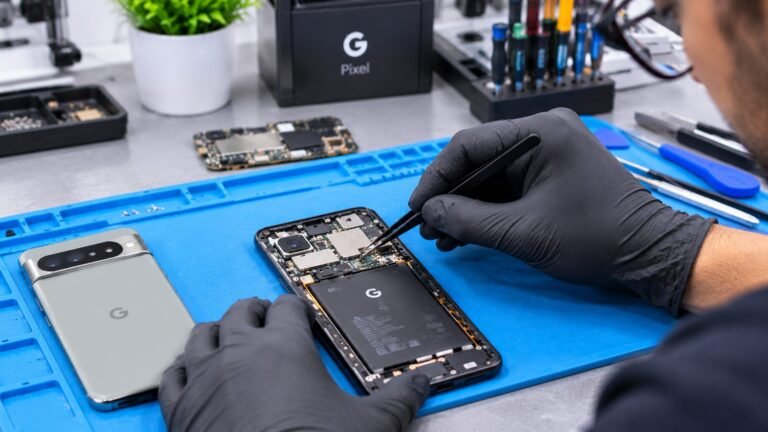
A Pixel needs motherboard repair when the battery, charger, and display all check out but the phone still will not boot. A technician confirms this by measuring how much current the phone draws when power is applied. A phone that draws no current, or draws a high current right away, often has a shorted component or a failed power circuit on the board. Board-level repair means finding that one failed part, often a small capacitor, chip, or connector, and replacing it with micro-soldering. It is slower than a screen or battery swap, and not every board can be saved. If your Pixel was dropped, got wet, or died during an update, say so during the diagnostic. Liquid damage in particular can spread corrosion across the board, as our guide to water damaged phone repair explains.
- No vibration, sound, or screen after 25 minutes on a known good wall charger.
- The phone gets warm on the charger while the screen stays black.
- It shuts off right after the Google logo or keeps looping back to the logo.
- The phone stopped working after a drop, a spill, or a failed update.
- A new battery or screen did not change anything.
Can You Recover Data From a Google Pixel That Won’t Turn On?
Data recovery from a dead Pixel is possible in some cases, but it has real limits. The Android Open Source Project says new devices running Android 10 and higher must use file-based encryption, and Google designed its Titan M security chip, starting with the Pixel 3, to help protect the lock screen and disk encryption. That means pulling the storage chip and reading it on another device does not unlock your files. In practice, recovery means repairing the original motherboard until the phone boots and you can unlock it with your own PIN, pattern, or password. Because of this, no shop can promise recovery in advance. Before any repair, check what is already safe. Google says photos, videos, and contacts sync to their own services, separate from the device backup, so your pictures may already be in Google Photos on a computer.
Should You Use Google’s Repair Options or a Local Shop in Columbus?
If your Pixel is still under Google’s warranty or qualifies for a battery program, check with Google first, because a covered repair may cost nothing. Google’s US repair pricing guide gives model-specific estimates and notes that final costs are confirmed after inspection, and its battery programs list mail-in service in the US, which means time without your phone. Out of warranty, a local shop in Columbus can test the phone in person and explain whether the problem is the battery, screen, charging port, or board. That diagnosis matters, since a board repair and a battery swap are very different jobs. If your phone still works today, you can protect your data during future repairs with Google’s Repair mode. It is available on Pixel phones with the Android 14 December 2023 update or later under Settings, System, and Repair mode, with at least 2 GB free.