
Why Is My Phone Not Charging? 7 Common Causes and When to Get It Repaired in Columbus, Ohio
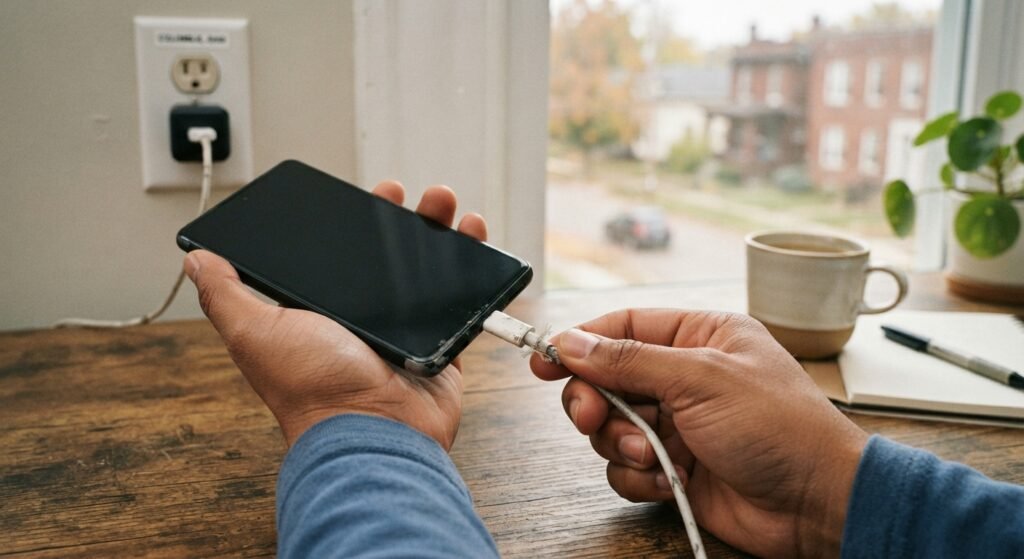
A phone not charging is most often caused by a faulty cable or adapter, lint in the charging port, a software glitch, or a worn battery, and many cases can be fixed at home. If simple checks fail, the charging port or board may need repair. In Columbus, Ohio, get a free diagnostic and upfront quote from our cell phone repair technicians, or see the signs your phone battery needs replacing.
Why Is My Phone Not Charging?
Most phones stop charging because of a problem with the cable, the charger, the charging port, the software, or the battery. These are the seven most common causes we see:
- Damaged cable or adapter: frayed, bent, or low-quality cables are the most common culprit.
- Lint and debris in the port: pocket lint packs into Lightning and USB-C ports and blocks a full connection.
- Moisture in the port: iPhones may show a liquid detection alert, and Samsung phones may show a moisture warning that pauses wired charging.
- Software glitches: a frozen process or pending update can interrupt charging until the phone restarts.
- Worn or failing battery: an aged battery may charge slowly, stall at a certain percentage, or not hold a charge.
- Damaged charging port: bent pins, a loose connector, or corrosion prevent a stable connection.
- Charging circuit or board damage: a failed charging chip or other board-level fault, often after liquid exposure or a power surge.
Most of the first four causes can be solved at home in a few minutes. The last three usually need a technician, because they involve replacing a part or repairing the board.
What Should I Try Before Getting My Phone Repaired?
Start with simple checks, since they solve a large share of charging problems. Work through them in order:
- Try a different cable, adapter, and wall outlet you know work with another device.
- Restart or force restart the phone.
- Shine a flashlight into the port and gently remove lint with a wooden toothpick. Avoid metal objects.
- If a moisture alert appears, unplug the phone and let it dry before charging again.
- Install any pending software updates, then test again.
- Try wireless charging if supported. If wireless works but wired does not, the port is the likely problem.
On iPhone, Optimized Battery Charging can pause charging around 80 percent to reduce battery wear, which is normal and not a fault.
If the phone is completely dead, leave it on a known good charger for up to an hour before deciding it won’t charge, since a deeply drained battery can take time to show a charging screen.
How Do I Know If My Charging Port Is Damaged?
Your charging port is likely damaged if the cable feels loose, only charges at a certain angle, or disconnects when the phone moves. Other signs include a plug that won’t seat firmly after cleaning, visible corrosion or bent pins, or a phone that charges wirelessly but not by cable.
Port damage often comes from years of plugging in, drops while charging, or liquid exposure. If your phone has been wet, read our guides on water damaged phone repair and what to do in the first 24 hours after water damage before plugging it in again.
Avoid wiggling the cable to find a working angle. That habit wears the port faster and can bend the internal pins.
Can a Bad Battery Stop a Phone From Charging?
Yes, a worn or failing battery can cause slow charging, sudden drops in percentage, or a phone that won’t charge past a certain point. Lithium-ion batteries lose capacity with every charge cycle, and Apple considers an iPhone battery worn once Battery Health in Settings falls below about 80 percent.
A swollen battery is more serious. If the screen is lifting or the case is bulging, stop charging the phone and bring it in. iPhone owners can also read our post on iPhone battery draining fast for model-specific tips.
For more warning signs, see our guide to signs your phone battery needs replacing.
Phone Charging Port Repair in Columbus, Ohio: When to Get Help
Get your phone repaired when the quick fixes don’t work, the phone won’t charge with any cable, or you notice liquid, heat, or swelling. Forcing a loose connection can damage the port further or harm the board.
Many charging problems turn out to be a port replacement or deep cleaning, which are often completed the same day. When the fault is on the board, micro-soldering and board-level repair can often fix it without replacing the phone. If the quote is high on an older device, our guide on whether to repair an iPhone or buy a new one can help you decide.
Charging chip failures sometimes follow liquid exposure or a low-quality, uncertified charger, so mention any recent spills or new chargers during the diagnostic. Our guide to same-day phone repair in Columbus explains what affects turnaround.
Get Your Phone Charging Again in Clintonville
Bring your phone to Just Phone Repair at 4971 N High St in Clintonville, near the Ohio State campus. Walk-ins are welcome daily from 9:00 AM to 5:00 PM, and every repair begins with a free diagnostic and an upfront quote, so you know the cause and cost before any work starts.
Call (614) 325-5843 or contact our Clintonville repair shop. Our expert phone charging port repair team serves Columbus, Worthington, Westerville, Upper Arlington, Dublin, Grandview Heights, and Bexley.
If the phone is completely dead, bring the cable and charger you normally use so the technician can test them too.
Frequently Asked Questions
Why is my phone plugged in but not charging?
A phone that is plugged in but not charging usually has a bad cable or adapter, lint in the charging port, or a software glitch. Try a different cable and outlet, restart the phone, and gently clean the port. If the phone still won’t charge, the charging port, battery, or charging circuit may be damaged. A free diagnostic can pinpoint the cause before you spend money on replacement parts or a new phone. Also check whether the phone shows a charging icon at all.
How do I clean my phone's charging port safely?
Power off the phone, then shine a flashlight into the port to look for lint or debris. Gently loosen it with a wooden or plastic toothpick, working along the edges without scraping the pins, and avoid metal objects like pins or paper clips. Do not use liquids or blow into the port, since moisture from your breath can cause corrosion. If the debris is packed in tightly, a technician can clean it safely. Packed lint is one of the most common reasons a cable won’t seat fully.
Why does my phone say liquid detected or moisture detected?
These alerts mean the phone has sensed moisture in the charging port and paused wired charging to protect itself. Unplug the cable, gently tap the phone with the port facing down, and leave it in a dry area with some airflow. Avoid hair dryers, rice, or inserting objects into the port. If the alert continues after the phone has had time to dry, or appears without any liquid exposure, the port may need inspection. Never override the alert to charge a wet phone.
Can a phone charging port be repaired?
Yes, a damaged phone charging port can usually be repaired or replaced. Depending on the model, the port may be a separate part, part of a flex cable, or soldered to the main board. Many port repairs on common iPhone, Samsung Galaxy, and Google Pixel models are completed the same day, depending on part availability. Board-level ports and charging circuits may require micro-soldering, which a technician can assess during a free diagnostic. Ask whether the quote covers the port, labor, and testing.
Why is my phone charging so slowly?
Slow charging is usually caused by a low-power adapter, a worn cable, background apps, heat, or an aging battery. Phones also slow charging when they get warm and near the end of a charge to protect the battery. Use a quality adapter rated for your phone, close heavy apps, and charge in a cool place. If charging is still slow with a known good charger, the charging port or battery may need attention. Wireless charging is also typically slower than wired charging.
Why does my phone stop charging at 80 percent?
On iPhone, stopping at 80 percent is often caused by Optimized Battery Charging, which learns your routine and delays charging past 80 percent to reduce battery wear. Some newer iPhones also offer a setting that limits charging to 80 percent, and many Android phones have similar battery protection features. Phones also pause charging when they get too warm. If your phone stops early with these features off, have the battery checked. Check Settings for battery protection options first.
Can a bad battery cause a phone not to charge?
Yes, a failing battery can cause a phone to charge slowly, stop charging, jump between percentages, or shut down even when it shows charge remaining. Batteries lose capacity with each charge cycle, and older batteries may stop accepting a charge properly. If the battery is swollen, stop using and charging the phone right away, because a swollen lithium-ion battery is a safety risk. A technician can test the battery and replace it if needed. A battery replacement often solves these charging issues.
Is it worth fixing a phone that won't charge?
In most cases, yes. Many charging problems are caused by a dirty or damaged port, a worn cable, or an aging battery, and these are usually affordable repairs compared with buying a new phone. Repair is less worthwhile if the phone is very old, no longer receives updates, or has extensive board damage. A free diagnostic tells you the exact cause and cost, so you can compare repair with replacement before deciding. Board-level micro-soldering can also save phones with charging chip failures.
How long does a charging port repair take?
Many charging port repairs are completed the same day, depending on the phone model and whether the part is in stock. A simple port cleaning can be quick, while a port replacement or board-level charging repair takes longer. Calling ahead to confirm part availability is optional but can save time. After the free diagnostic, the technician will give you an upfront quote and an expected timeline for your specific repair. Bring your passcode so charging and other functions can be tested.